Kauricone “InterfaceOS” Suite for Security and Productivity
Secure, Simple, Sustainable, and Fast
“InterfaceOS” and bundled software, removes the complexity of existing Operating Systems, and lets you begin work immediately.
Why InterfaceOS?
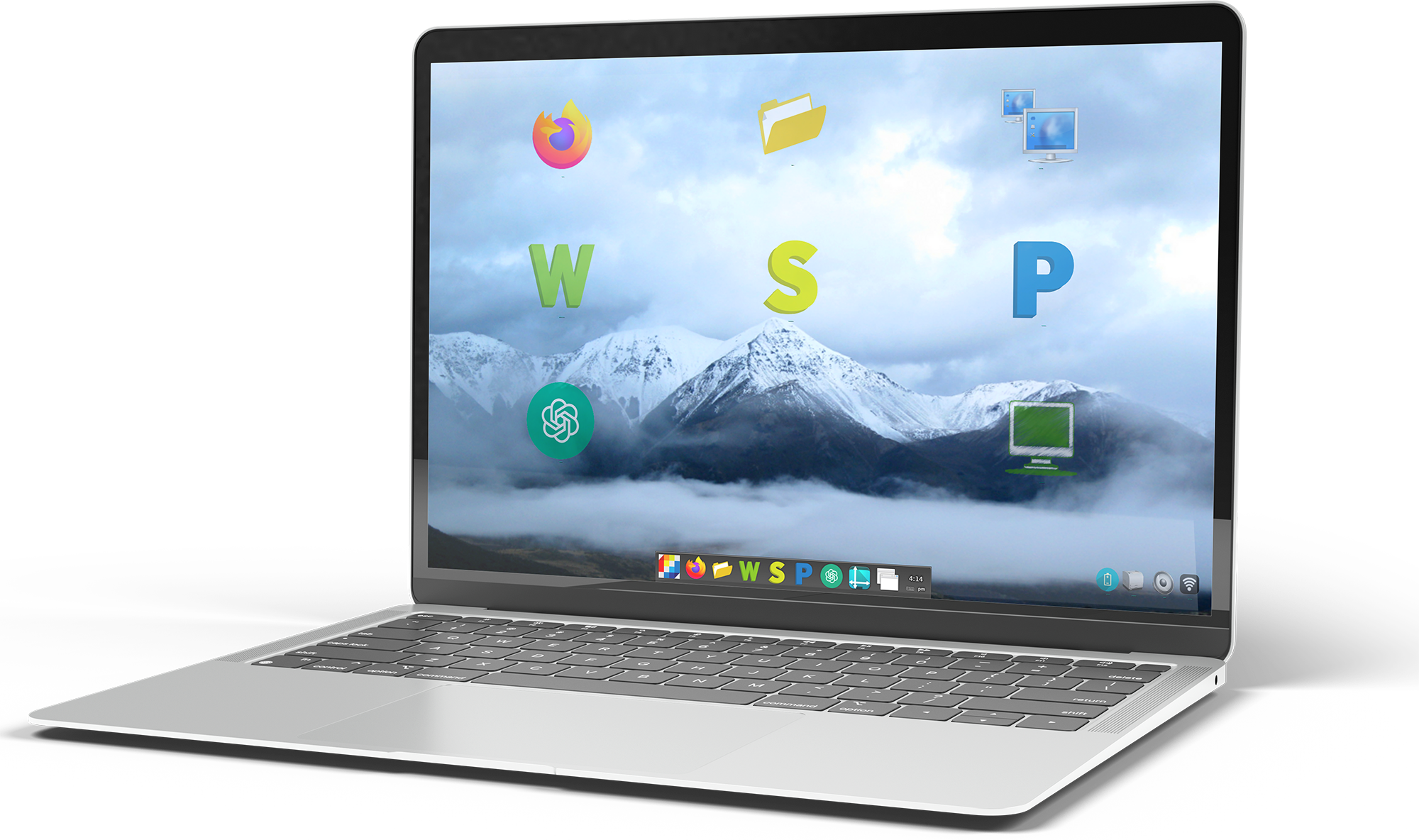
InterfaceOS is not just and Operating System, it is the platform of a comprehensive Desktop Environment. It is a leap forward in user design, performance, and functionality.
Here’s what makes InterfaceOS stand out:
Intuitive User Interface
An elegant and intuitive interface that makes navigation a breeze.
Powerful Performance
InterfaceOS 64-bit processing is engineered for speed and efficiency ensuring swift and responsive operations for all your tasks.
Enhanced Security Features
We prioritize your digital safety. InterfaceOS comes with robust security features to protect your data from evolving threats.
Strong Permission based Access, Firewall, and Automatic, Unattended, Background Security Updates
Innovative Productivity Application Software
Boost productivity with a suite of office programs, creative programs, and developer programs designed to simplify complex tasks.
A new Folder and File manager integrated and consistent with the Browser, Office, Creative, and Developer Applications, empowers you to do more in less time.
Compatibility and Flexibility
InterfaceOS integrates with a wide range of hardware and software, ensuring compatiblity with your exisitng systems.
InterfaceOS is perfect for:
Government & Educational Facilities • Users with older computers • Corporate Offices • Small Businesses
What’s included?
InterfaceOS Suite
Application Software






Status Bar



My Computer










Office Suite




Creative Suite



Developer Suite


Computer


Security



Smartphone Connectivity

Find out More
The InterfaceOS Advantage
InterfaceOS combines web browsing, office productivity, document scanning, file management, imaging, multimedia, communications, security, parental controls, and system management into one integrated computing environment.
A utility that tracks battery health and usage, helping extend battery life and prevent sudden power loss.
A terminal interface that provides advanced users with precise control over the system through typed commands.
An integrated scanning application that allows users to scan paper documents, receipts, forms, photographs, and other physical materials directly into InterfaceOS, creating convenient digital copies that can be saved, organised, edited, printed, or shared.
InterfaceOS provides a comprehensive suite of parental controls that helps families manage Total Screen Time, Scheduled Time, Allowed and Disallowed Website Access, Behaviour Reporting, and locked-down access to Virtual Private Networks (VPNs) to provide parents with greater control over how children use the computer and access the internet.
A fast, secure, and privacy-focused web browser that enables safe and efficient internet browsing.
A powerful graphics editor for creating, enhancing, or retouching images with professional-quality tools.
A lightweight image viewer that opens photos quickly and allows easy browsing of image collections.
A file management tool that helps organize, move, and access documents easily for better productivity.
InterfaceOS Guardian Firewall is designed to hide the complexity of lower-level firewall and networking tools behind a straightforward user experience while providing robust protection against unauthorised network access.
InterfaceOS Protector provides automatic, unattended background security updates that help keep the operating system and its security components protected without requiring users to manually manage updates.
A task manager that displays running applications, making it simple to switch between tasks or close unresponsive programs.
A presentation creator that makes it easy to design professional slideshows for meetings, teaching, or pitches.
A spreadsheet program that simplifies data organization, analysis, and reporting for personal and business tasks.
A word processing application that allows users to create and edit documents without expensive software licenses.
A versatile media player that supports nearly all audio and video formats without extra codecs.
A network manager that makes it easy to connect to Wi-Fi, Ethernet, Bluetooth, or VPNs securely.
The InterfaceOS Perpetual Licence provides one Parent Licence and five Child Licences, giving a family long-term access to InterfaceOS without recurring licence fees for those licensed users.
A print management tool that shows pending print jobs and allows users to pause or cancel them as needed.
A quick screen capture tool that lets users take and share images of their screen for tutorials or records.
A lightweight code and text editor that helps developers write and debug code efficiently.
InterfaceOS lets users try the complete InterfaceOS Suite for free, providing access to all features so they can experience the operating system and its applications before deciding to purchase.
An audio manager that lets users adjust sound levels for different devices and applications.